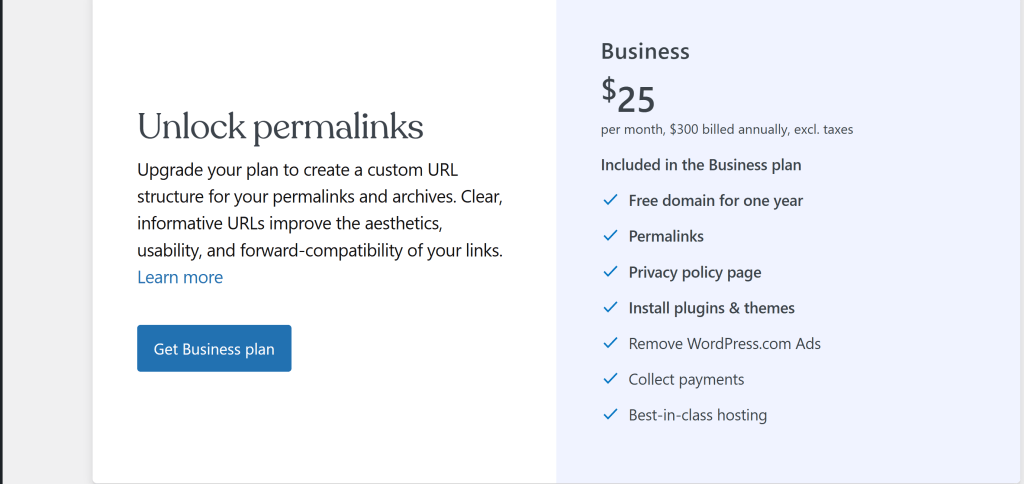
Are looking to avoid the Business/Creator Plan (which typically costs around $25/month) just to remove the date from your URLs.
On WordPress.com, the “date” structure (/2025/12/22/my-post/) is enforced on Free, Personal, and Premium plans for Blog Posts. You generally need the Creator plan to install plugins (like Yoast or Permalinks Manager) that allow you to remove it.
Here are the best alternatives to paying that monthly fee just for cleaner URLs:
1. The “Free” Workaround: Use Pages instead of Posts
This is the most effective trick if you are staying on WordPress.com and don’t want to pay.
- How it works: On WordPress.com, Pages (e.g., “About”, “Contact”) do not have dates in the URL.1 They simply look like
yourdomain.com/my-article-title. - The Strategy: Publish your evergreen articles as Pages rather than Posts.2
- The Trade-off: Pages don’t show up in your “Blog Feed” or RSS automatically. You would need to manually create a “Blog” page and link to your new articles there, or use a “Latest Pages” block if your theme supports it.
2. The “Real” Solution: Self-Hosted WordPress (WordPress.org)
If you are paying $25/month solely for SEO freedom, you are overpaying. You can move your site to a self-hosted provider.
- Cost: ~$3–$10/month (hosting) + ~$15/year (domain).
- Benefit: You get full control immediately. You can go to Settings > Permalinks and check “Post name” to instantly get
domain.com/sample-postwithout dates.3 - Providers: Hosts like Hostinger, Bluehost, or SiteGround are popular starters.
- Migration: You can export your WordPress.com content (Tools > Export) and import it into the new host for free.
3. Client-Side Redirects (Not Recommended for SEO)
You might find code snippets that “hide” the date using Javascript, but this does not change the actual URL seen by Google. It only masks it for the user. This is bad for SEO and not a real solution.
4. Is the Date Actually Bad for SEO?
If moving or changing your workflow is too much trouble, it is worth noting that dates in URLs are not a major SEO penalty for news or timely content. Google understands date-based archives well.
- When to worry: If you update content frequently (e.g., “Best Laptops 2024” updated to “2025”), the old date in the URL (
/2024/01/best-laptops) looks messy and can lower click-through rates. - When it’s fine: If you write news or dated journal entries.
Summary Recommendation
- If you want to save money and keep it simple: Start publishing your main articles as Pages.
- If you want a professional site for cheap: Move to Self-Hosted WordPress. You will save ~$150+ a year compared to the WordPress.com Creator plan.
Would you like me to give you the steps for exporting your content to a self-hosted provider like Hostinger?
 NathanLegakis.com